
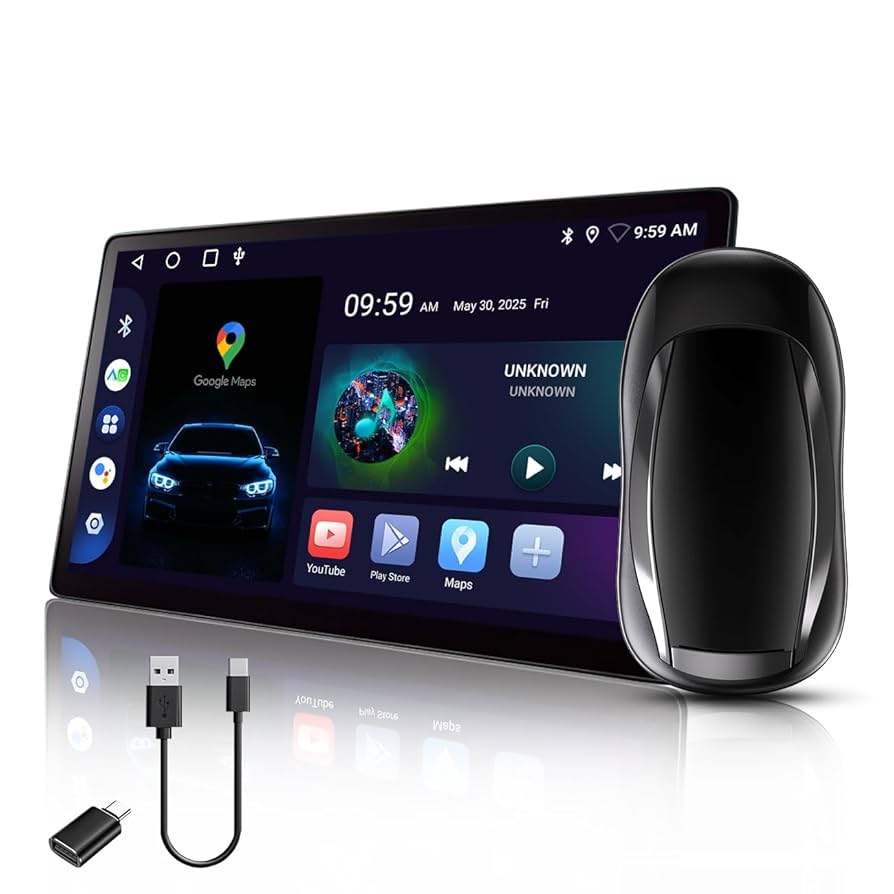
Imagine turning your car into a cozy entertainment hub where you can watch your favorite Netflix shows anytime you want. Whether you’re stuck in traffic, waiting for someone, or on a long trip, having the right device to watch Netflix in your car can make all the difference.
You might wonder which device fits best, how easy it is to set up, and what features to look for. Stick with me, and you’ll discover simple, practical options that will transform your car rides into enjoyable Netflix moments. Ready to find out how?
Let’s dive in.

Credit: www.amazon.com
Best Devices For In-car Netflix
Choosing the right device to watch Netflix in your car can transform long drives into enjoyable entertainment sessions. The best devices balance screen size, battery life, and ease of use, so you never miss your favorite shows or movies. Let’s look at some of the top options that fit different needs and budgets.
Tablets And Smartphones
Tablets and smartphones are the most popular choices for in-car Netflix streaming. Their portability and built-in screens make them easy to use anywhere in the vehicle. Plus, apps like Netflix are already optimized for these devices, offering smooth playback and intuitive controls.
With a good tablet or smartphone, you can use a car mount to secure your device and keep it stable during the ride. Battery life varies, but many modern devices last several hours on a full charge, enough for most trips. If you want a larger screen, tablets generally offer a better viewing experience than smartphones.
Portable Streaming Players
Portable streaming players like Amazon Fire Stick or Roku Streaming Stick give you more flexibility if your car has a compatible display or HDMI input. These devices connect to the internet via Wi-Fi or mobile hotspots, turning any screen into a smart entertainment hub.
They are compact, easy to carry, and support a variety of streaming apps beyond Netflix. However, setting up a stable internet connection in the car can be tricky, so you might need a dedicated mobile hotspot or a strong phone hotspot.
Built-in Car Entertainment Systems
Modern cars often come with built-in entertainment systems that support Netflix streaming. These systems usually include screens mounted on the back of headrests or in the central console. Using the car’s Wi-Fi or your phone’s hotspot, you can stream directly without extra gadgets.
While convenient, these systems sometimes have limited app availability or slower interfaces compared to personal devices. Still, if you frequently travel with family or friends, a built-in system offers a seamless and clutter-free way to enjoy Netflix on the road.
Laptops And Ultrabooks
Laptops and ultrabooks provide a versatile option for watching Netflix in the car, especially if you want a bigger screen and multitasking ability. You can easily connect them to portable battery packs or the car’s power outlets to keep them running throughout your trip.
Though less portable than tablets or phones, laptops offer high-quality video playback and full browser access for Netflix. If you plan to work or browse alongside streaming, a laptop can be a practical all-in-one device during your journey.
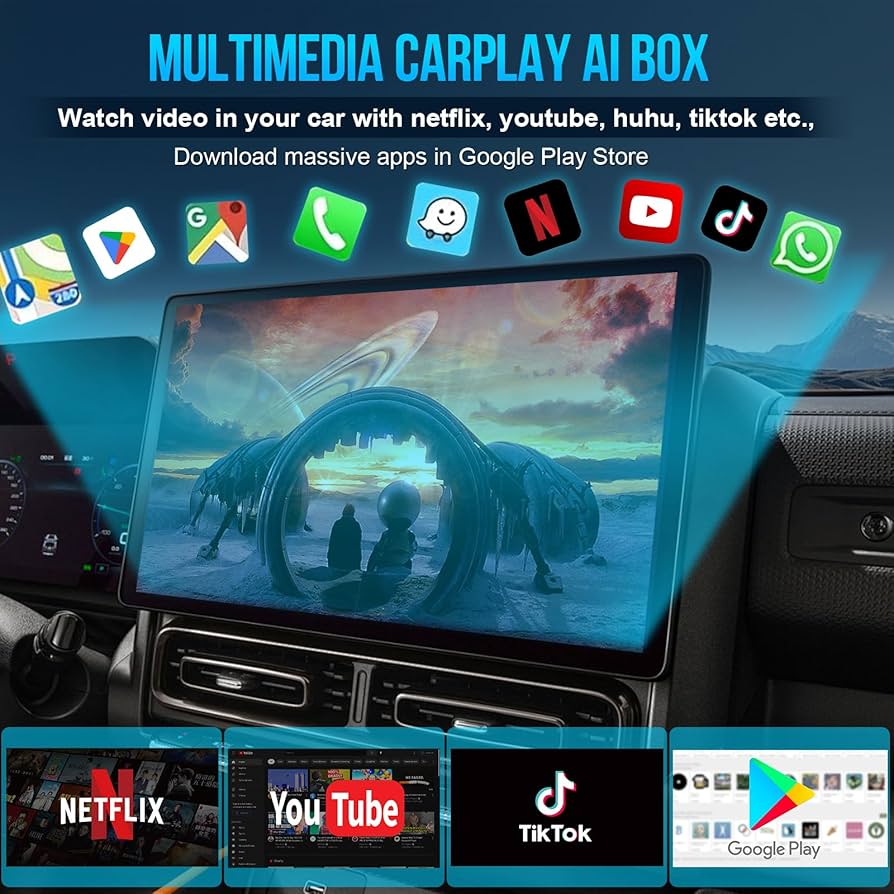
Credit: www.amazon.com
Essential Features To Consider
Choosing the right device to watch Netflix in your car means balancing comfort, convenience, and quality. You want a setup that fits your space, lasts through your trip, and streams smoothly without interruptions. Let’s look at the key features that make a big difference in your in-car streaming experience.
Screen Size And Resolution
The screen size impacts how enjoyable your viewing will be. A larger screen makes it easier to see details, especially if multiple passengers want to watch together.
Resolution matters too. A device with at least 1080p HD gives crisp images that don’t lose clarity on bigger screens. Have you ever struggled to watch a show because the screen was too small or blurry?
Consider what fits best in your car’s space without blocking views or causing discomfort. Portable monitors around 10 to 15 inches often strike a good balance.
Battery Life And Power Options
Battery life is critical if you want to watch Netflix without constantly worrying about charging. Devices with at least 4-6 hours of battery life let you enjoy shows during longer trips or breaks.
Look for flexible power options like USB charging, car adapters, or even built-in batteries. Having a device that can charge from your car’s cigarette lighter socket keeps you powered on the go.
Ask yourself: How long is your typical car ride, and will the device last through it without needing a charge?
Internet Connectivity
Streaming Netflix depends heavily on a reliable internet connection. Devices with built-in Wi-Fi or the ability to tether to your phone’s hotspot work best.
Some devices even support 4G or 5G SIM cards, offering mobile internet without relying on your phone. This can be a game-changer if you travel through areas with weak signals.
Think about your usual routes—do they have good mobile coverage? This will guide your choice for connectivity features.
Mounting And Portability
How you set up your device in the car affects comfort and safety. Devices that come with adjustable mounts or holders can attach easily to headrests or dashboards.
Portability also matters if you want to move the device between vehicles or use it outside the car. Lightweight and compact models make this hassle-free.
Have you considered how often you’ll need to install and uninstall the device? Choosing one with quick mounting options saves time and frustration.
Setting Up Netflix In Your Car
A portable device like a tablet or smartphone makes watching Netflix in your car easy. Connect it to a car charger and use a car mount for safe viewing. Wireless hotspots or offline downloads keep the streaming smooth without interruptions.
Setting up Netflix in your car can transform road trips. Watching favorite shows while traveling adds entertainment and fun. With modern technology, it’s now easier to enjoy Netflix during car rides. Follow these simple steps to make your journey enjoyable.Downloading The Netflix App
Ensure your device has the Netflix app installed. Visit the app store on your smartphone or tablet. Search for Netflix and download it. Create an account if you don’t have one. Log in using your credentials.Using Mobile Hotspots
Use your phone’s hotspot for internet access. Turn on the hotspot in the settings menu. Connect your device to the hotspot’s Wi-Fi. This allows streaming without interruptions.Connecting To Car Wi-fi
Many modern cars have built-in Wi-Fi. Check your car’s manual for instructions. Connect your device to the car’s Wi-Fi network. Ensure your car’s data plan is active and sufficient.Offline Viewing Options
Download shows and movies for offline viewing. Open the Netflix app on your device. Select episodes or films and tap the download icon. Watch them without needing internet access later.
Credit: vmccarcoding.myshopify.com
Safety Tips For Watching Netflix On The Go
Watching Netflix in your car can turn travel time into enjoyable downtime. However, safety must always come first. Balancing entertainment with alertness ensures everyone arrives safely and happy.
Avoiding Driver Distraction
Your focus behind the wheel should never waver. Avoid setting up or interacting with any screens while driving. Instead, prepare devices before starting your trip or have a passenger handle controls.
Even a quick glance away can cause dangerous moments. Ask yourself: Is that one scene worth risking your safety or others on the road? Keeping your eyes on the road saves lives.
Positioning Screens For Passengers
Place screens where only passengers can see them, such as headrest mounts or dashboard holders angled away from the driver. This prevents accidental glances that could distract.
Consider using tablet holders that clip securely to the back of seats. This setup keeps viewers comfortable and the driver focused. Have you noticed how a simple adjustment in screen placement changes your travel experience?
Managing Volume Levels
Keep the volume at a level audible to passengers but not overwhelming to the driver. Loud audio can mask important traffic sounds like sirens or horns.
Use headphones for individual viewers when possible. This reduces noise and helps everyone stay aware of their surroundings. How often do you realize background noise affects your attention?
Legal Considerations
Check your local laws regarding screen use in vehicles. Some areas prohibit video displays visible to the driver while the vehicle is in motion.
Ignoring these rules could lead to fines or worse, accidents. Make sure your setup complies with regulations to avoid trouble. Are you familiar with your region’s specific laws on in-car entertainment?
Enhancing Your In-car Viewing Experience
Watching Netflix in your car can turn long drives or waiting times into enjoyable moments. But just having the device isn’t enough to make it a great experience. You need the right accessories and settings to truly enhance your in-car viewing and get the most out of your entertainment.
Using Headphones And Audio Systems
Good sound quality makes a huge difference when watching movies or shows in the car. Using wireless headphones can help you avoid disturbing others and deliver clear audio directly to your ears.
If you prefer sharing the experience, connect your device to the car’s audio system using Bluetooth or an auxiliary cable. This way, everyone in the vehicle can enjoy better sound without straining to hear.
Have you noticed how poor audio can ruin even the best scenes? Investing in a simple set of noise-cancelling headphones or upgrading your car’s speakers can instantly improve your viewing experience.
Screen Protectors And Anti-glare Solutions
Glare and reflections on your screen can make it hard to watch Netflix comfortably, especially during daylight. A quality anti-glare screen protector reduces reflections and helps maintain clear visibility.
These protectors are easy to apply and can also protect your device from scratches and dust. They keep the picture sharp and colors vibrant, even under bright sunlight.
Think about the last time you struggled to see your screen in the car. Wouldn’t a simple anti-glare solution save you that hassle every time?
Power Banks And Charging Accessories
Running out of battery in the middle of your favorite show can be frustrating. A reliable power bank ensures your device stays charged no matter how long your trip is.
Look for power banks with fast charging and enough capacity to power your tablet or smartphone multiple times. Also, keep a car charger handy to recharge the power bank or device directly.
Do you plan ahead for long trips, or do you often find yourself scrambling for an outlet? Having backup power ready can keep your binge-watching uninterrupted.
Customizing Playlists And Profiles
Setting up personalized playlists or profiles on Netflix makes it easier to jump straight into your favorite content. This is especially useful if multiple people use the same device in the car.
Create separate profiles for each family member or friend to keep recommendations and watchlists organized. Download your preferred movies or shows in advance to avoid buffering or connection issues.
How much time do you spend searching for something to watch? Preparing playlists before your trip can give you more time to enjoy and less time scrolling.
Troubleshooting Common Issues
Watching Netflix in your car should be a smooth experience, but sometimes issues pop up that can ruin the moment. Troubleshooting common problems quickly helps you get back to enjoying your favorite shows without hassle. Let’s look at how to fix some typical challenges you might face.
Buffering And Streaming Problems
Buffering can be frustrating, especially when you’re on the road and want to relax with a movie. This often happens due to slow or unstable internet connections.
- Try moving to an area with better network coverage or switch to a different cellular provider if possible.
- Lower the video quality in the Netflix app to reduce data usage and prevent buffering.
- Check if other apps are using bandwidth in the background and close them to free up resources.
Have you noticed that some routes have better signal strength? Planning your streaming around those spots can make a big difference.
App Crashes And Updates
App crashes happen unexpectedly and can interrupt your viewing. Often, they occur because the Netflix app is outdated or has corrupted data.
- Make sure your Netflix app is updated to the latest version through your device’s app store.
- Clear the app cache to remove any corrupted files that might cause crashes.
- Restart your device to refresh system processes and improve app stability.
Have you ever ignored an app update only to face crashes later? Keeping your apps current can save you a lot of headaches.
Connectivity Drops
Sudden loss of internet connection can stop your show abruptly. This is common when using mobile hotspots or in areas with spotty cellular service.
- Check if your hotspot or in-car Wi-Fi device is properly connected and has a strong signal.
- Switch between Wi-Fi and cellular data to see which offers more stable connectivity.
- Consider using a signal booster designed for vehicles to improve reception.
Does your connection tend to drop at specific locations? Identifying these spots can help you find better alternatives or prepare offline downloads.
Device Compatibility
Not all devices in cars are optimized for streaming Netflix. Older models or certain operating systems may not support the app fully.
- Check Netflix’s official device requirements before setting up your streaming device.
- Use popular streaming devices like tablets, smartphones, or dedicated media players that regularly support Netflix.
- Update your device’s operating system to ensure compatibility with the latest Netflix app features.
Have you tested your device’s compatibility before hitting the road? It can save a lot of frustration and wasted time.
Frequently Asked Questions
What Devices Can Stream Netflix In A Car?
You can use tablets, smartphones, portable DVD players, or car headrest monitors with Wi-Fi to stream Netflix. A stable internet connection via hotspot or built-in car Wi-Fi is essential for smooth streaming.
How To Connect Netflix To A Car’s Entertainment System?
Use Bluetooth, HDMI, or USB connections to link your device to the car’s screen. Alternatively, cast Netflix from your phone to a compatible car display for easy viewing.
Is It Safe To Watch Netflix While Driving?
Watching Netflix while driving is dangerous and illegal. Only watch Netflix when the car is parked to ensure safety and comply with traffic laws.
What Internet Options Work Best For Netflix In Cars?
Mobile hotspots, 4G/5G smartphones, or built-in car Wi-Fi provide reliable internet. Ensure your data plan supports streaming to avoid interruptions or extra charges.
Conclusion
Watching Netflix in your car makes long trips fun and relaxing. Many devices fit different needs and budgets. Choose one that works with your car and internet. Portable DVD players, tablets, or smartphones all can stream Netflix easily. Remember to keep safety first; watch only when parked.
Enjoy your favorite shows anytime, anywhere with the right device. Simple, easy, and perfect for travel entertainment.